
Microsoft is introducing age assurance to help provide age-appropriate experiences and meet local legal requirements. To access some features, you may need to verify your age. There are several options available.
If you try to access or purchase 18+ or adult content, you may be asked to confirm your age before continuing.
How to verify your age
You only need to verify your age if prompted during sign in, but some countries/regions are offering a proactive direct approach. See the list below.
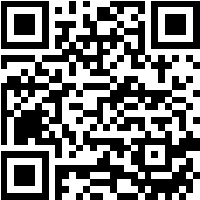
- Follow the links provided or scan a QR code if shown.
- Different countries/regions have different age verification partners. Choose one of the available verification options. You can verify your age using one of the following options:
- Facial age estimation (selfie)
- Uploading a document
- Log in to [Government system] (e.g. Singpass)
- Follow the on-screen instructions to complete verification.
Note
Once completed, age verification applies to both your Microsoft account and XBOX account. If you don’t verify your age, your account will be treated as unverified. You can check your age assurance status on your Microsoft account. If one verification method doesn’t work, you can try another. Most verifications are completed in seconds, but some may take a few minutes.
Countries/regions where you can verify your age
If you are in Australia, Brazil or Singapore you can verify your age now by scanning the QR code or selecting the Verify your age button below.
If you are in the United Kingdom, you can verify your age now by selecting the Verify your age button below.
See also
- Frequently Asked Questions about Microsoft account age verification
- How to change a birth date on a Microsoft account
Need more help?
Can't sign in?
If you can't sign into your Microsoft account, most issues can be identified by our sign-in helper tool.
Contact Support
For technical support, go to Contact Microsoft Support, enter your problem and select Get Help. If you still need help, select Contact Support to be routed to the best support option.
Important
To protect your account and its contents, our support agents are not allowed to send password reset links, or access and change account details.