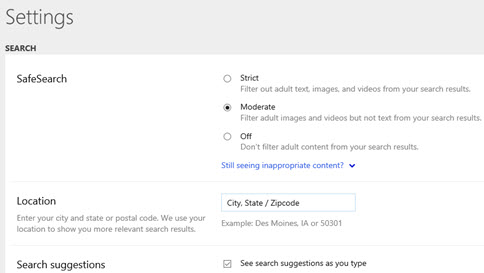
SafeSearch is a Bing setting that filters out inappropriate web content. To change it:
Open a browser and go to Bing.com.
Select the
 icon in the upper right of the Bing.com window. Select Settings
 , and then select More.
Choose your SafeSearch preference: Strict, Moderate, or Off. Select Save at the bottom of the menu.